


May 1, 2026
New in myCGS® 11 Featuring eLetters – Now Available!
myCGS 11 is now available with a new feature called eLetters, inspired by your feedback! This exciting enhancement makes it easier to find and manage important letters in one place.
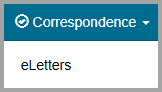
What You Can Do with eLetters
The eLetters Inbox keeps your CGS letters in one place, allowing you to:
- View a table of the letters that CGS has sent to you over a 30-day time span.
- See information about letters we've sent to you, such as the name of the associated beneficiary, and view or save a copy of the letter.
- View, print, or save the letter.
- Sort letters by clicking on the column header or use the search bar to filter results.
Currently, eLetters include the following letter types:
- Additional Documentation Request (ADR)
- Advanced Determination of Medicare Coverage (ADMC)
- Prior Authorization
We'll add more letter types in future myCGS updates.
Customize Your Settings
The eLetters Options screen allows you to set the following options:
- Use the eLetters Inbox to view letters for all, some, or none of your NPI/PTANs.
Need help?
See our myCGS User Manual  for step-by-step instructions:
- Chapter 9 – Correspondence (for help with your eLetters Inbox)
- Chapter 12 – My Account (for help with eLetters options to customize your settings)
Only Designated Approvers (DAs) automatically have access to eLetters. For help with granting permission to End Users, see our myCGS Registration & Account Management Guide, Chapter 2 – User Management.
We'd love Your Feedback!
When a survey pops up on our website (like the one below), please take a moment to share your thoughts. Your input helps us improve and serve you better!
 Join Electronic Mailing List
 Print
Print Bookmark
 Facebook
 YouTube
 LinkedIn
 CGS Medicare Mobile App