



Troubleshooting & Support
Please use the resources below to quickly resolve the most common portal challenges we identify through provider questions and feedback.
For additional help, please call the EDI Help Desk: 1.866.276.9558
Authentication
The myCGS portal contains Protected Health Information (PHI). To ensure we protect our Medicare beneficiaries privacy:
- Some functions require you to input certain required elements before releasing results.
- The information you enter must match the provider, beneficiary, or claim information on file.
Note: CGS can't release the required elements via portal, website, or phone. Please make sure you have the correct information available. If not, please use another eligibility system, check your files, or contact the patient or representative to verify.
MFA Codes
Watch this brief video for help with MFA codes:
|
Length: 03:36 Learn how to install Google Authenticator to receive instant multi-factor authentication (MFA) codes for myCGS logins. |
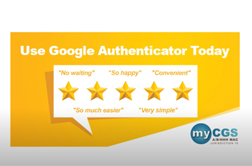
Visit Video Education or YouTube for more myCGS videos.
New Users
Welcome! We're so glad you chose to experience the benefits of using the myCGS portal.
Before you begin, we highly recommend completing the self-paced online education course below. You can access it at your convenience and pause to return later, if needed.
|
Length: 30:00 Learn more about:
|
Passwords & Logins
myCGS Password & Login Quick Reference Guide :
:
Get helpful tips about password & login requirements so you never get locked out again.
Top Provider Questions
Get answers to top provider questions.
Updated: 07.31.2026
 Join Electronic Mailing List
 Print
Print Bookmark
 Facebook
 YouTube
 LinkedIn
 CGS Medicare Mobile App